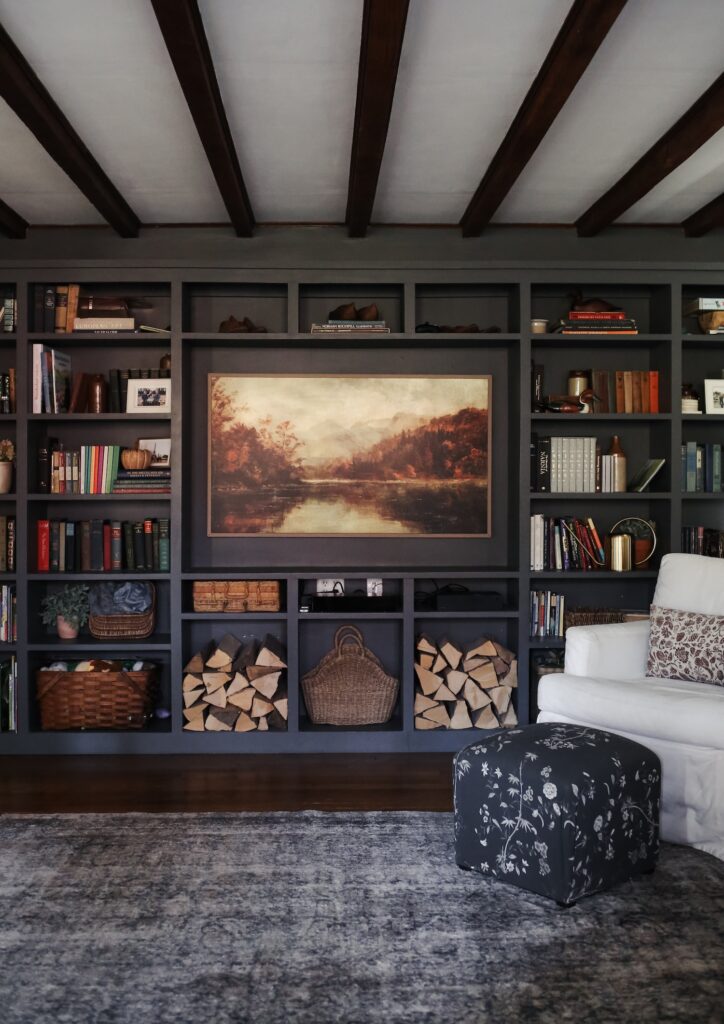

When we built our home in Arizona, the first major purchase we made was a flat screen Samsung TV. Before that, we had one of those square box affairs with a built-in DVD player we got for our wedding. This was a huge upgrade, and we were very excited. That was 2009. Since then, that Samsung TV has traveled all over with us—moving from Arizona to Seattle to Utah, and finally landing on the East Coast. It never quit. It was basically the not-so-little TV that could.
But since it was older than my teenage daughter, we felt like it was time for an upgrade to something a little more aesthetic—in other words, something that doesn’t look like a TV at all. Enter the Samsung Frame TV.
This is a full review of the Samsung 55″ Class The Frame LS03FA QLED 4K UHD AI Smart TV—what we love, how it performs, and why it might just be the perfect choice if you, like me, want your TV to elevate your space rather than dominate it.
Why We Chose the Frame TV: Goodbye Black Box, Hello Wall Art
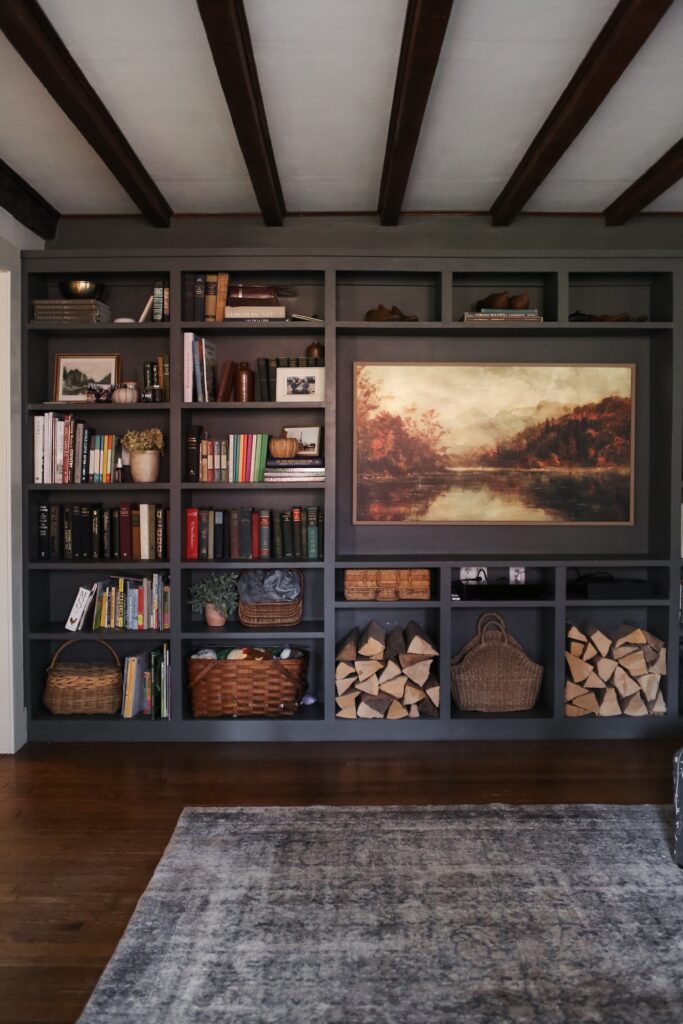
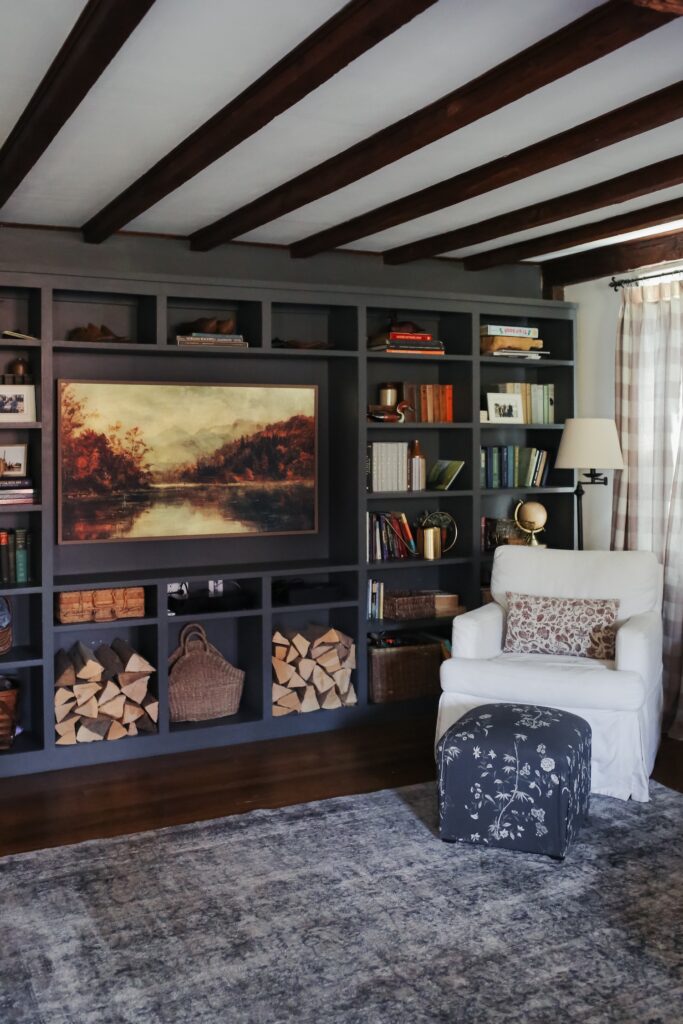
The TV is the focal point of the built-in wall in our family room, which means it had to earn its place. I didn’t want a big black rectangle staring me down every time I walked in the room anymore. I wanted something that felt intentional, stylish, and elevated. The Frame TV fits the bill.
From the moment it went up, it felt more gallery than gadget. The matte display and glare-free screen mean there’s no annoying reflections, even if your TV is right across from a wall of windows like ours, and the slim flush mount gives it a clean, built-in look. We added the Bezel from in Modern Teak (it snaps on so easily), I can’t believe how much it’s elevated the space.
Setup and Daily Use: Pretty Painless
Setup was fairly straightforward. Samsung includes a template and hardware for hanging the TV, which makes things much easier than guessing where to drill. The adjustable hooks took us a minute to figure out, but they make it possible to get the TV perfectly level. Once we got the gist of it, it worked great. Pro tip: if your wifer insists on holding one side while you do the other, just humor her—she’s probably more excited than you think.
Setting up the Smart Hub and connecting streaming platforms was a breeze, and I love the intuitive remote—everything feels simple and logical. No confusing button combos, no endless menus, just click-and-play. Within minutes, we were streaming movies, and thanks to the Vision AI, everything—from old HD movies to the latest 4K releases—looks crisp and cinematic. Even Mickey Mouse looks better on the frame TV.
Art Mode Magic: Your TV as a Canvas
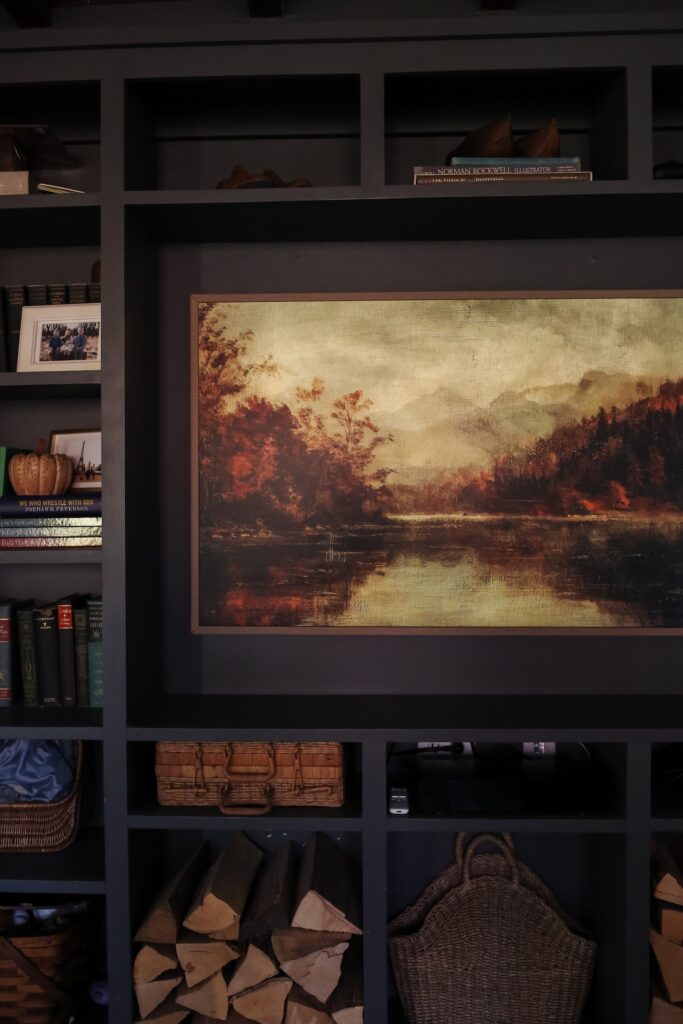
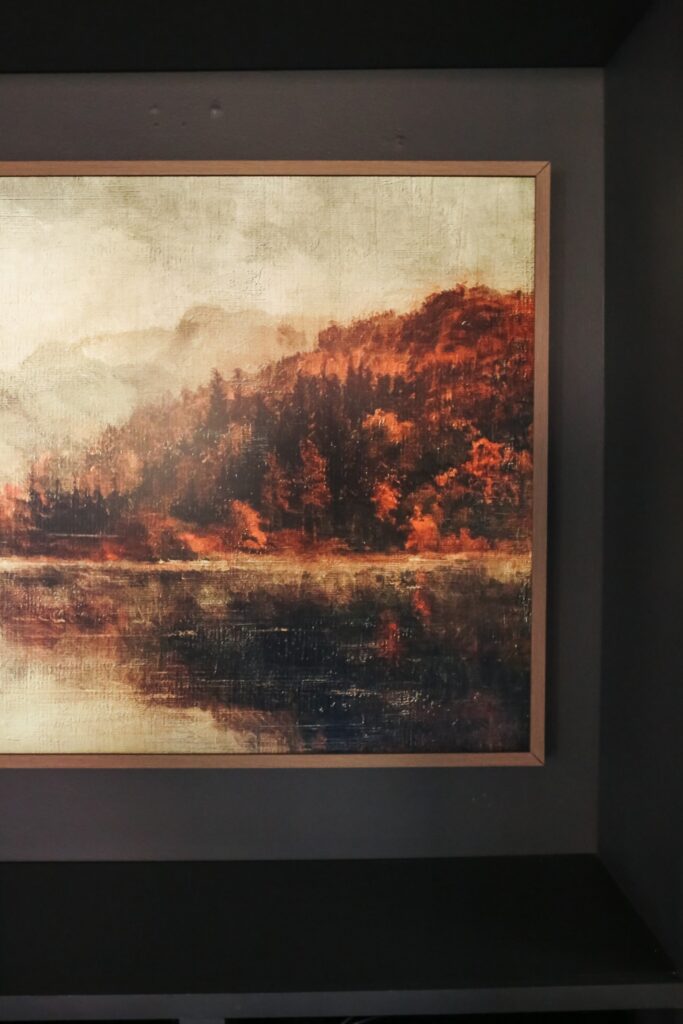
Here’s where the Frame TV really shines. When it’s off, it doesn’t just sit there like a black rectangle. Art Mode transforms it into a digital canvas, displaying curated pieces or your own photos. The matte, anti-glare finish and customizable brightness make it look surprisingly like real art, and it really elevates the entire room—especially since the TV is the focal point of our built-in wall.
I’ve had so much fun using the Samsung SmartThings app to upload my own artwork. I’ve been exploring Etsy for digital downloads, and the process is simple: select the file, crop and format it in the app, and it appears on the TV like magic. I’m already planning a festive holiday piece for December, which feels like a bonus way to decorate without drilling another hole into the wall. Honestly, it’s the easiest seasonal decorating hack I’ve ever tried.
Why Samsung Makes Sense: Reliability Meets Style
If you’ve owned a Samsung TV before, you know the reputation: durable, reliable, user-friendly, and smart. Our old 2009 Samsung lasted a decade and a half without missing a beat, and the Frame TV continues that legacy. It’s sleek, elegant, and understated, blending into the room instead of dominating it. For families who want one TV for movies, streaming, and art, it’s the perfect combination of form and function.
Mini How-To: Uploading Your Own Art from Etsy
- Find a digital download on Etsy that you love (JPEG, PNG, or TIFF).
- Open the Samsung SmartThings app and select your Frame TV.
- Tap Art Mode → My Collection → Add Art, then upload your file.
- Crop, adjust, and set brightness as needed. You can even schedule pieces to rotate automatically.
- Voilà! Your TV is now a custom piece of wall art. Bonus points if you upload something ironic and watch people do a double-take.


Final Thoughts: A TV That Doesn’t Just Sit There
The Samsung Frame TV has exceeded our expectations. It’s a TV that disappears when it’s not in use, a canvas for digital art, and a reliable family entertainment hub. Whether you’re watching movies, streaming your favorite shows, or displaying art, it blends practicality and style effortlessly. For anyone considering a 4K QLED TV that doubles as décor and truly elevates a space, the Frame TV is a clear win. It’s currently on sale here and would make a great Christmas gift!
Keep Reading:
Adding Character to your home through pattern and texture.
Samsung Frame TV, 4K QLED TV, Art Mode TV, Samsung Smart TV, digital art TV, home decor TV, flush mount TV, glare-free display, family movie TV, smart home TV.